
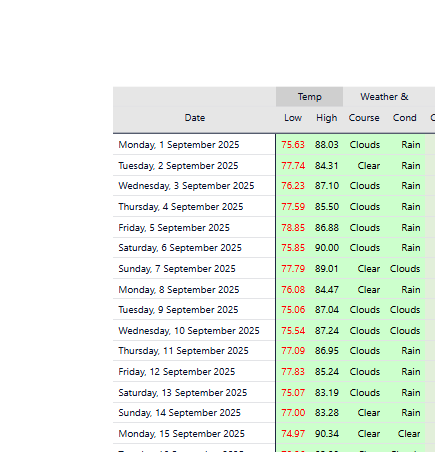
🌦️ Power BI Weather Data Integration using OpenWeather & WeatherAPI
While building a series of analytical and performance reports, I came across a requirement to incorporate live and forecast weather data directly into Power BI dashboards. The intent was to analyze how weather conditions impact key business metrics like sales, attendance, or outdoor operations.
Since weather data wasn’t available internally, I explored external APIs and discovered two reliable and free sources — OpenWeatherMap and WeatherAPI. Both APIs provide structured JSON data for current, hourly, and 5-day forecasts, including parameters like temperature, humidity, pressure, wind, and precipitation.
Categories
API Integration
API Setup & Key Generation
To start, I registered on both platforms:
After creating a free account on each, I generated unique API keys (for authentication). These keys allow secure access to the weather endpoints and are passed dynamically in Power Query through the
Web.Contents()function.This setup ensured I could retrieve live JSON weather data directly into Power BI without using any external scripts or connectors.
Solution Approach
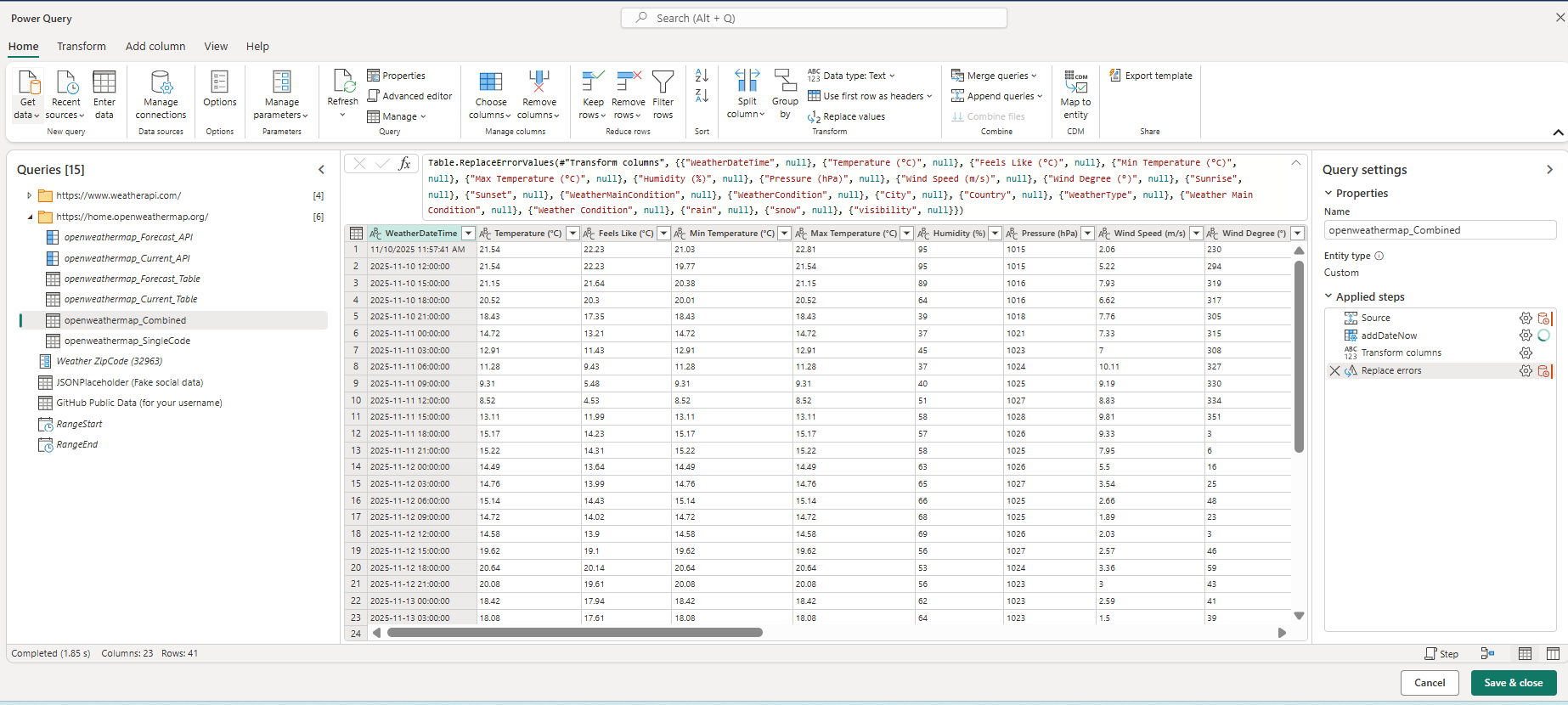
I designed a fully automated weather data ingestion process within Power BI using Power Query (M language).
Key components:
Dynamic API Connection:
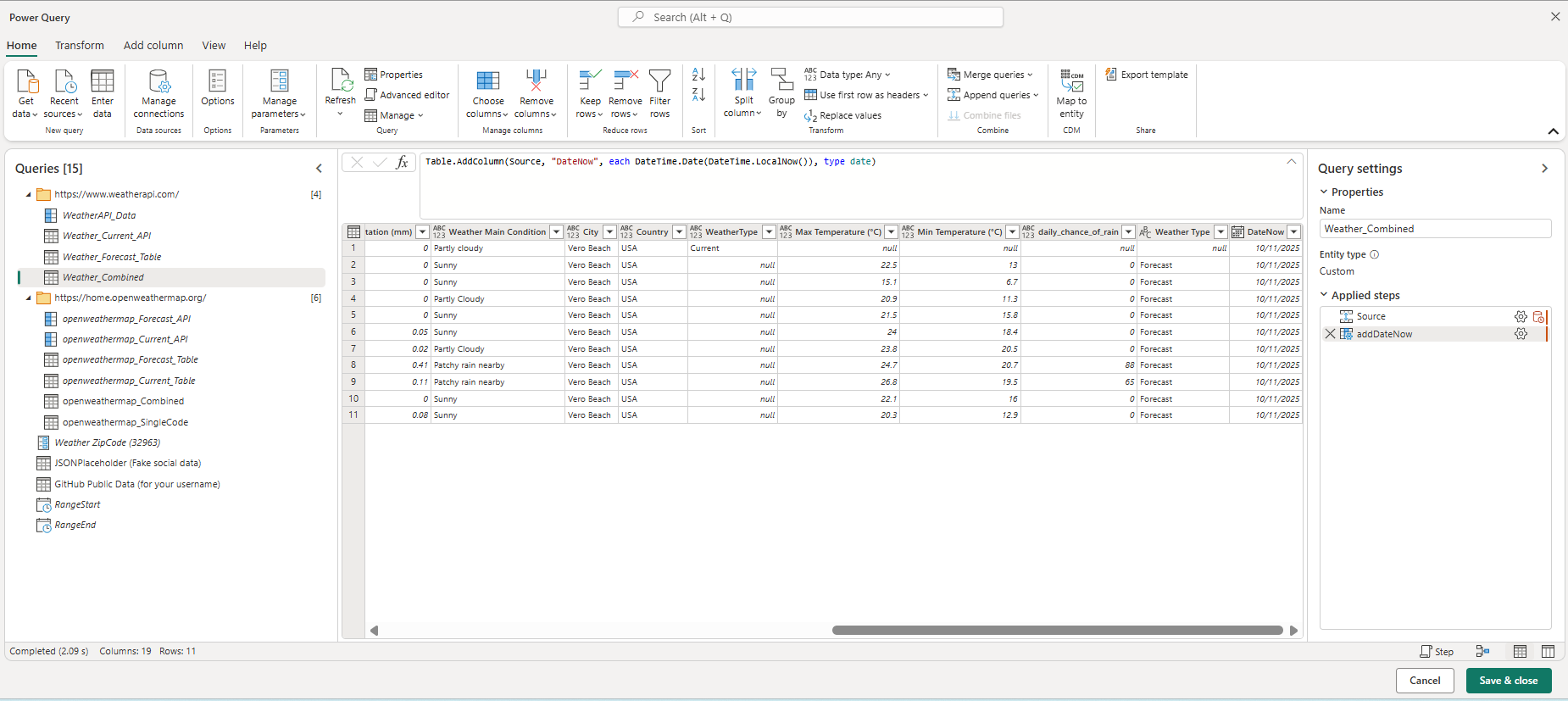
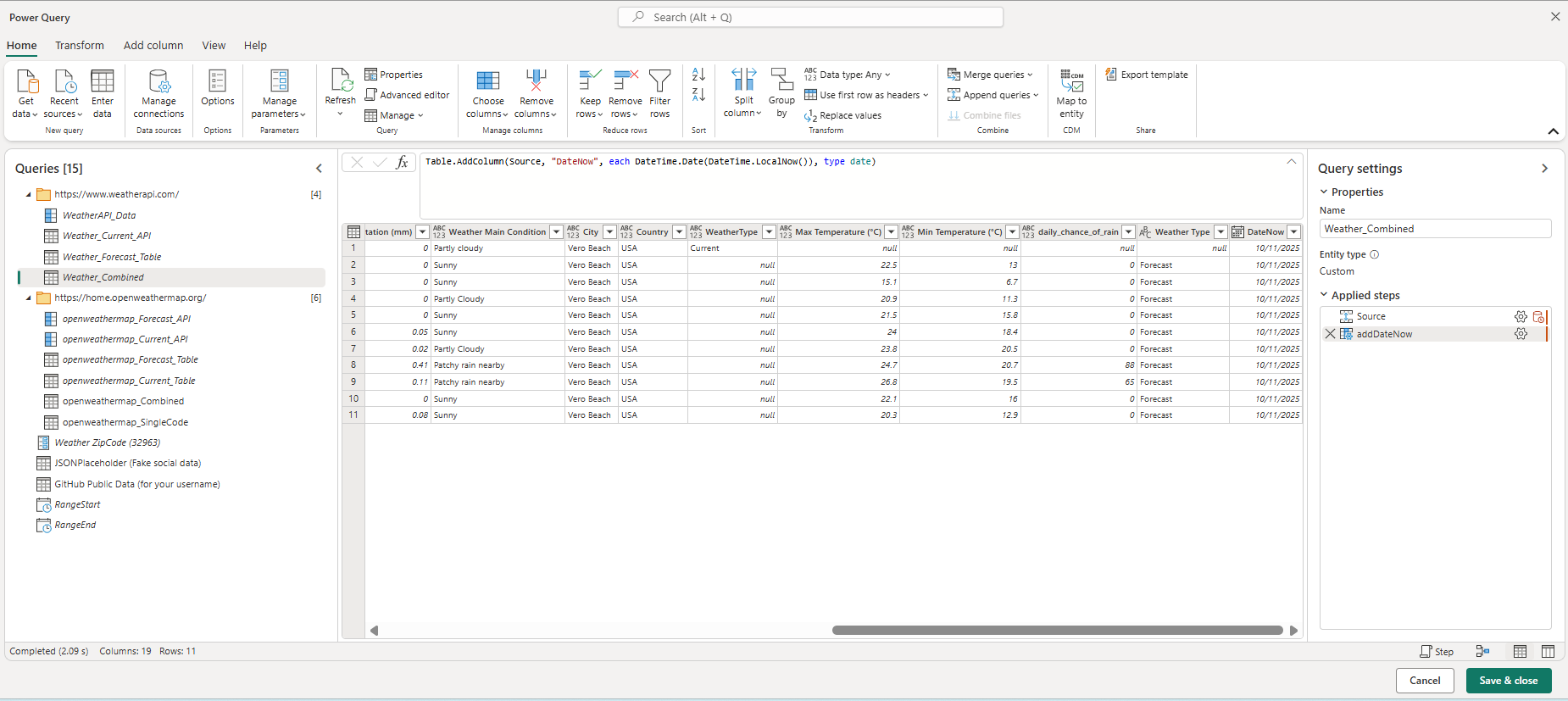
Built a query that takes user-defined parameters (ZIP code, country, or city) and fetches data from both APIs using their respective endpoints for current and forecast weather.JSON Transformation:
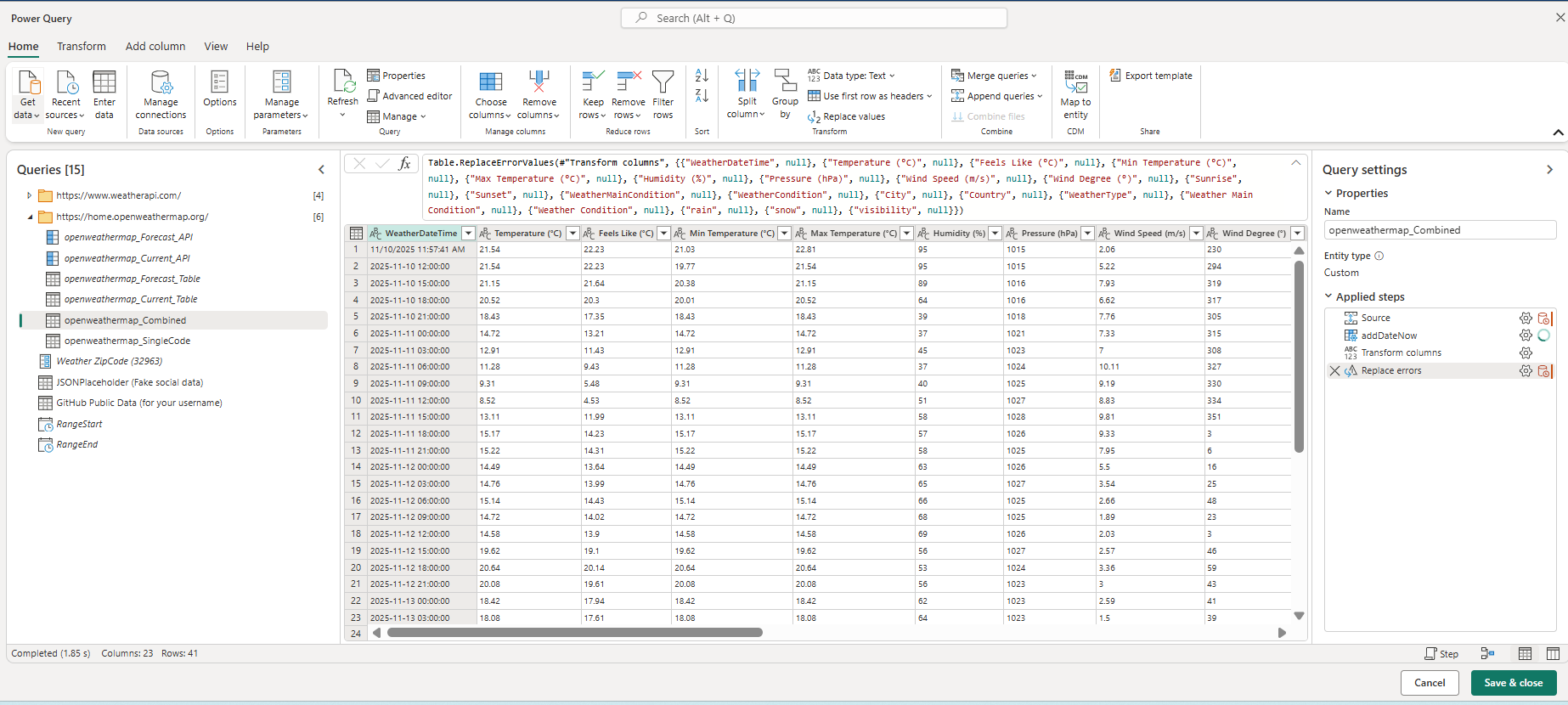
Parsed and expanded nested JSON structures to extract values such as:Temperature (°C)
Feels Like (°C)
Humidity (%)
Pressure (hPa)
Wind Speed (m/s)
Rain/Snow volume
Visibility, and Weather Conditions (Main/Description)
Data Cleansing & Structuring:
Converted timestamps to Power BI
datetimeformat.Added custom columns for Day/Night classification using sunrise/sunset times.
Calculated Day/Night temperature and feels-like variations.
Combined current and forecast datasets into a single table for analysis.
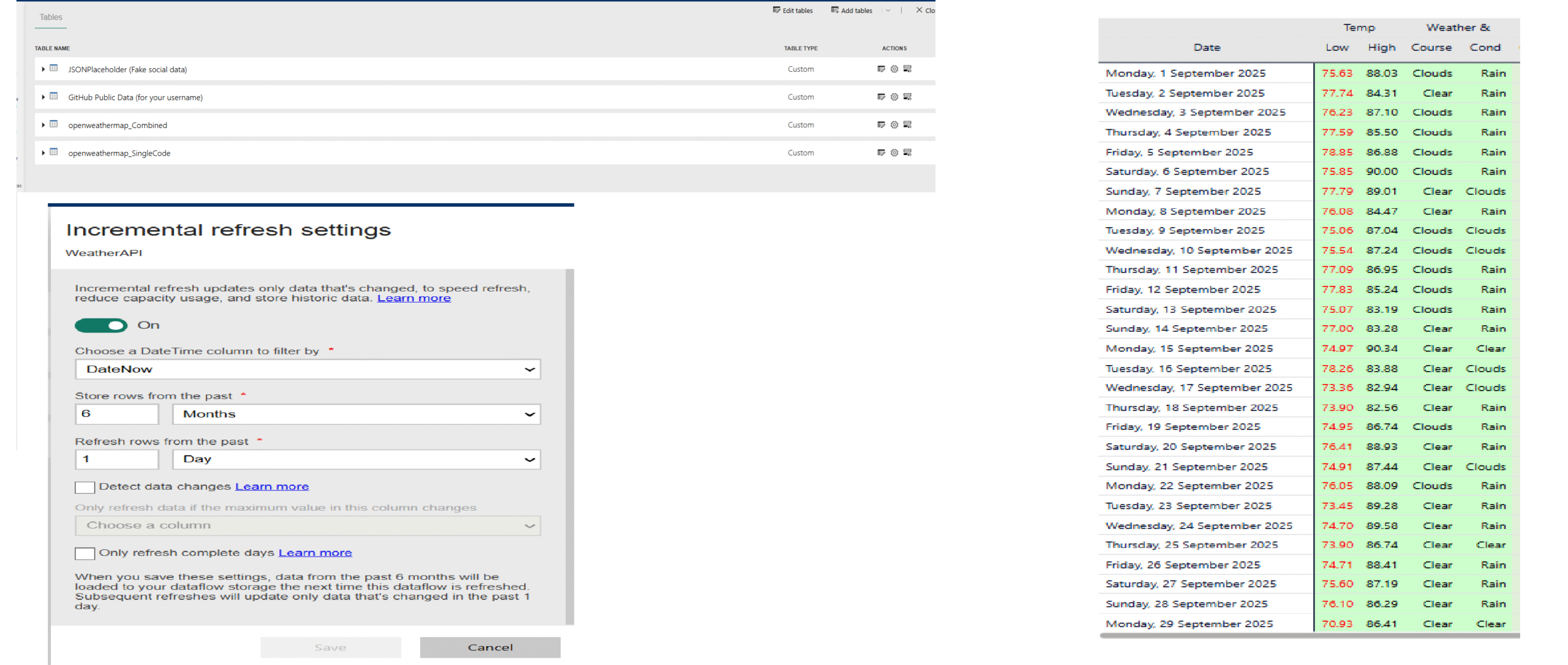
Incremental Refresh Logic:
Integrated a custom refresh mechanism that preserves historical weather records while updating the most recent data automatically.Error Handling & Null Management:
Implemented dynamic error replacements to prevent refresh failures in case of missing fields or temporary API unavailability.
Outcome
Created a dynamic, auto-refreshing weather dataset inside Power BI.
Merged live weather context into operational and performance dashboards.
Built a reusable framework to connect any external API directly into Power BI using parameters, making future integrations faster.
Tech Stack
Power BI / Power Query (M language)
OpenWeatherMap API
WeatherAPI.com
JSON data parsing & transformation
Incremental Refresh in Power BI
Learning & Impact
This project enhanced my ability to work with external APIs and JSON data directly in Power BI. It also demonstrated how adding contextual data like weather can elevate BI reporting — turning dashboards into richer, more actionable insights.
By leveraging API authentication (key-based access) and Power Query automation, I built a low-maintenance, scalable, and cost-free weather integration system for business intelligence use.
Lets Work Together
The technological revolution is changing aspect of our lives, and the fabric of society itself. it’s also changing the way we learn and what we learn

